> For the complete documentation index, see [llms.txt](https://docs.avis.net/llms.txt). Markdown versions of documentation pages are available by appending `.md` to page URLs; this page is available as [Markdown](https://docs.avis.net/vi/huong-dan/get-started/avis-topup.md).
# Cách nạp tiền vào số dư
Avis hoạt động theo hình thức credit trả trước: bạn nạp tiền vào số dư, rồi mức sử dụng API và toolkit sẽ được trừ dần từ đó. Trên trang **Credits & Billing**, bạn có thể nạp credit, xem số dư, tải hóa đơn và thanh toán qua MoMo hoặc VNPAY.
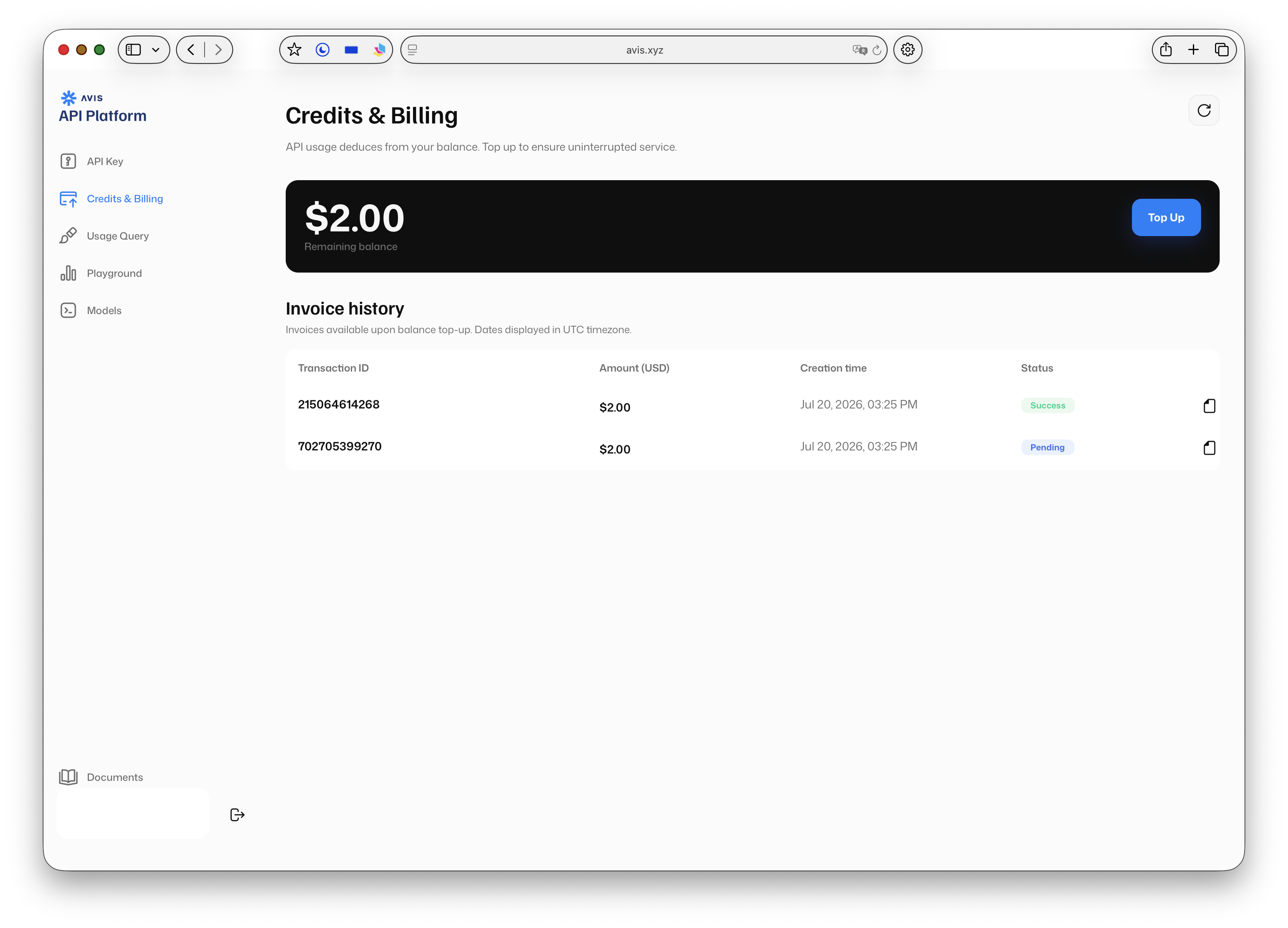
**Bước 1:** Truy cập [avis.net/profile/credits](https://www.avis.net/profile/credits), hoặc mở [hồ sơ của bạn](https://www.avis.net/profile/) và nhấn **Credits & Billing**.
Tại đây bạn có thể xem **tổng số dư** và **lịch sử hóa đơn**.
***
## Cách nạp tiền
**Bước 1:** Nhấn nút **Top Up**.
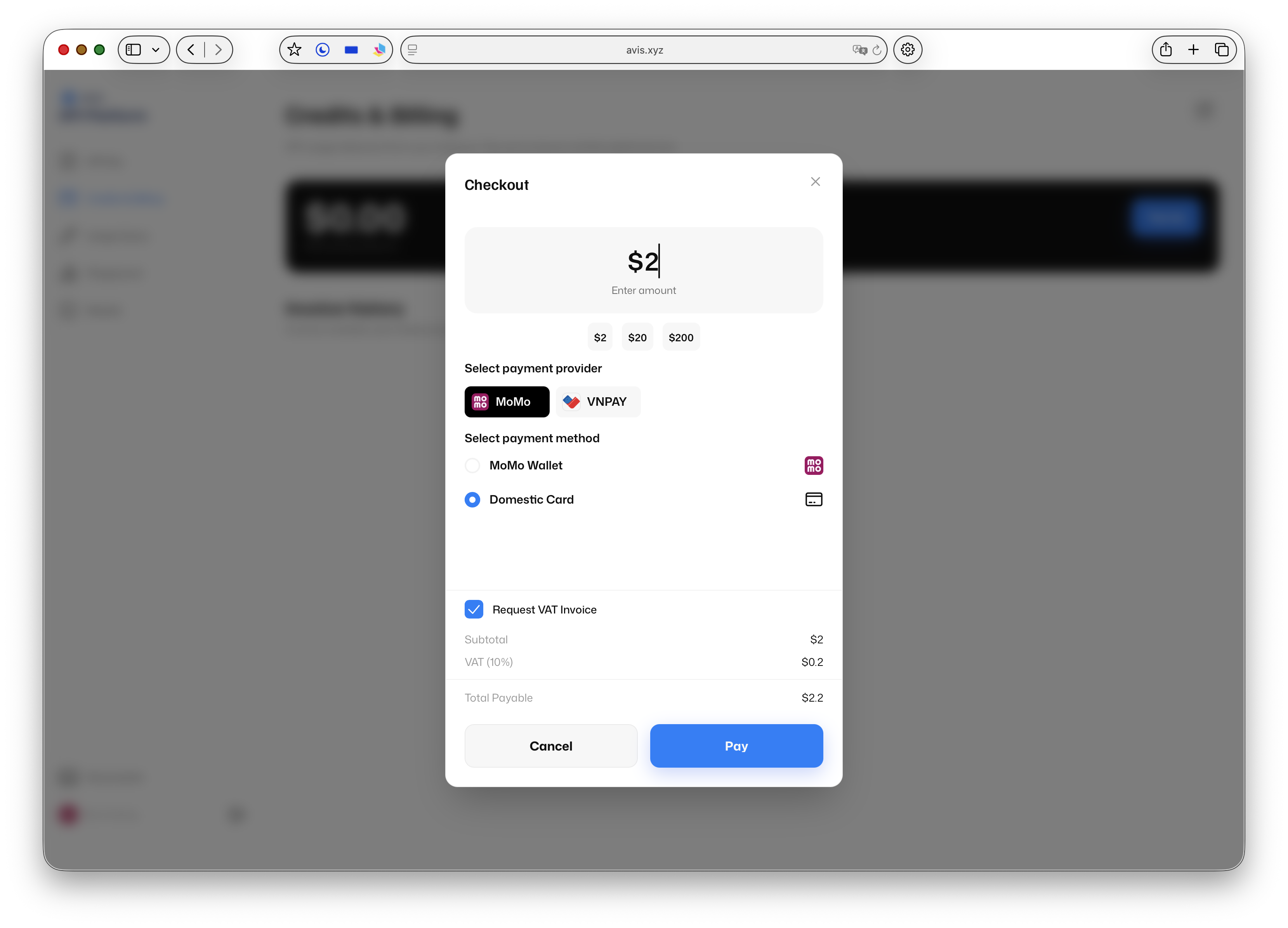
**Bước 2:** Thiết lập thanh toán:
1. Chọn nhà cung cấp thanh toán; hiện hỗ trợ **MoMo** và **VNPAY**.
2. Nhập số tiền bạn muốn nạp.
3. Nếu không cần hóa đơn, hãy bỏ chọn tùy chọn **Request VAT Invoice**.
**Lưu ý:** Thuế VAT **10%** được áp dụng và đã bao gồm trực tiếp trong tổng số tiền thanh toán.
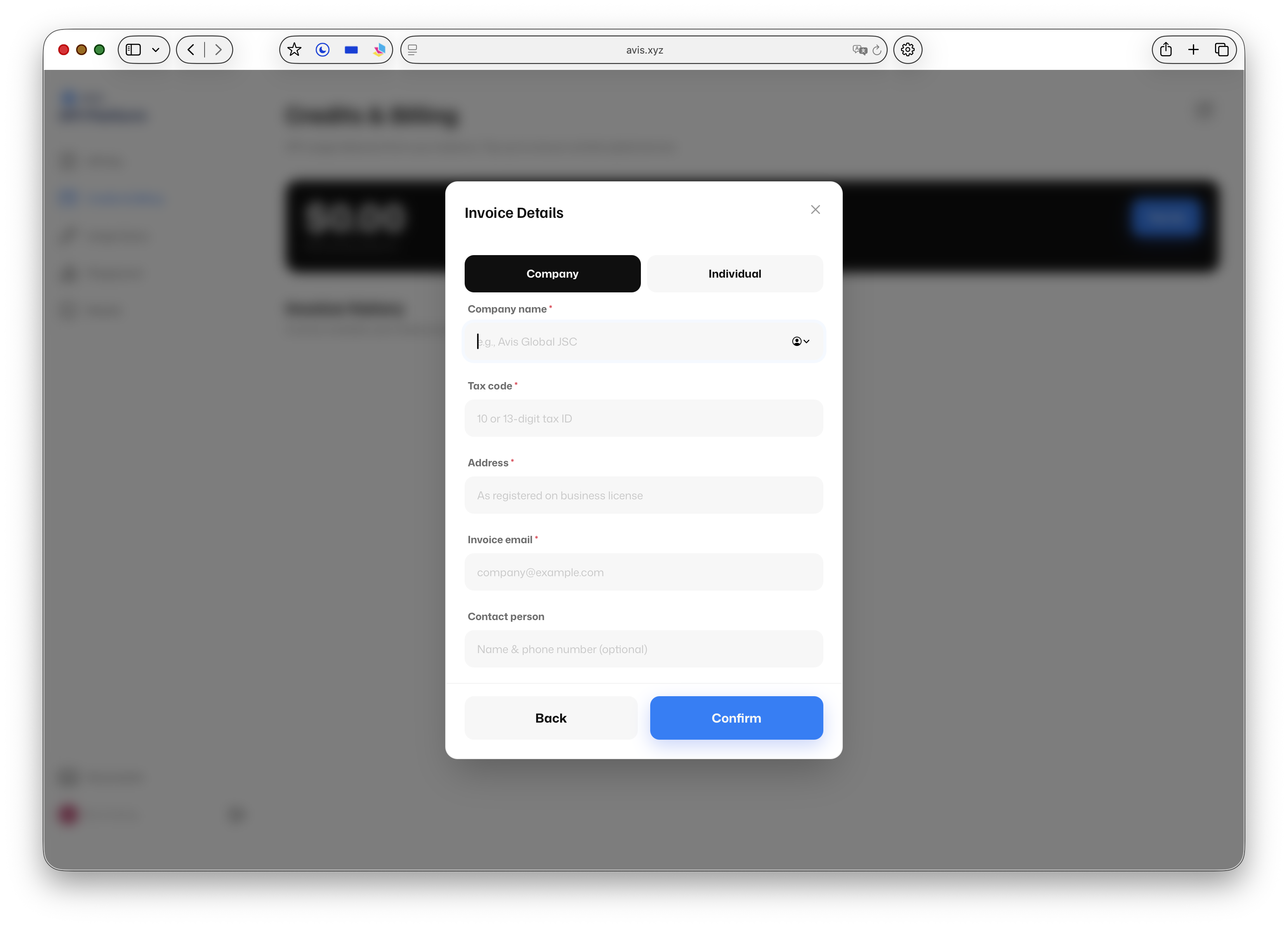
**Bước 3:** Nếu bạn giữ chọn **Request VAT Invoice**, khi nhấn **Pay** sẽ mở cửa sổ **Invoice Details**. Chọn mua với tư cách **Company** (công ty) hoặc **Individual** (cá nhân), sau đó điền các thông tin bắt buộc.
**Mẹo:** Chỉ thực hiện bước này khi cần xuất hóa đơn. Nếu bỏ chọn tùy chọn hóa đơn, bạn sẽ được chuyển thẳng đến trang thanh toán.
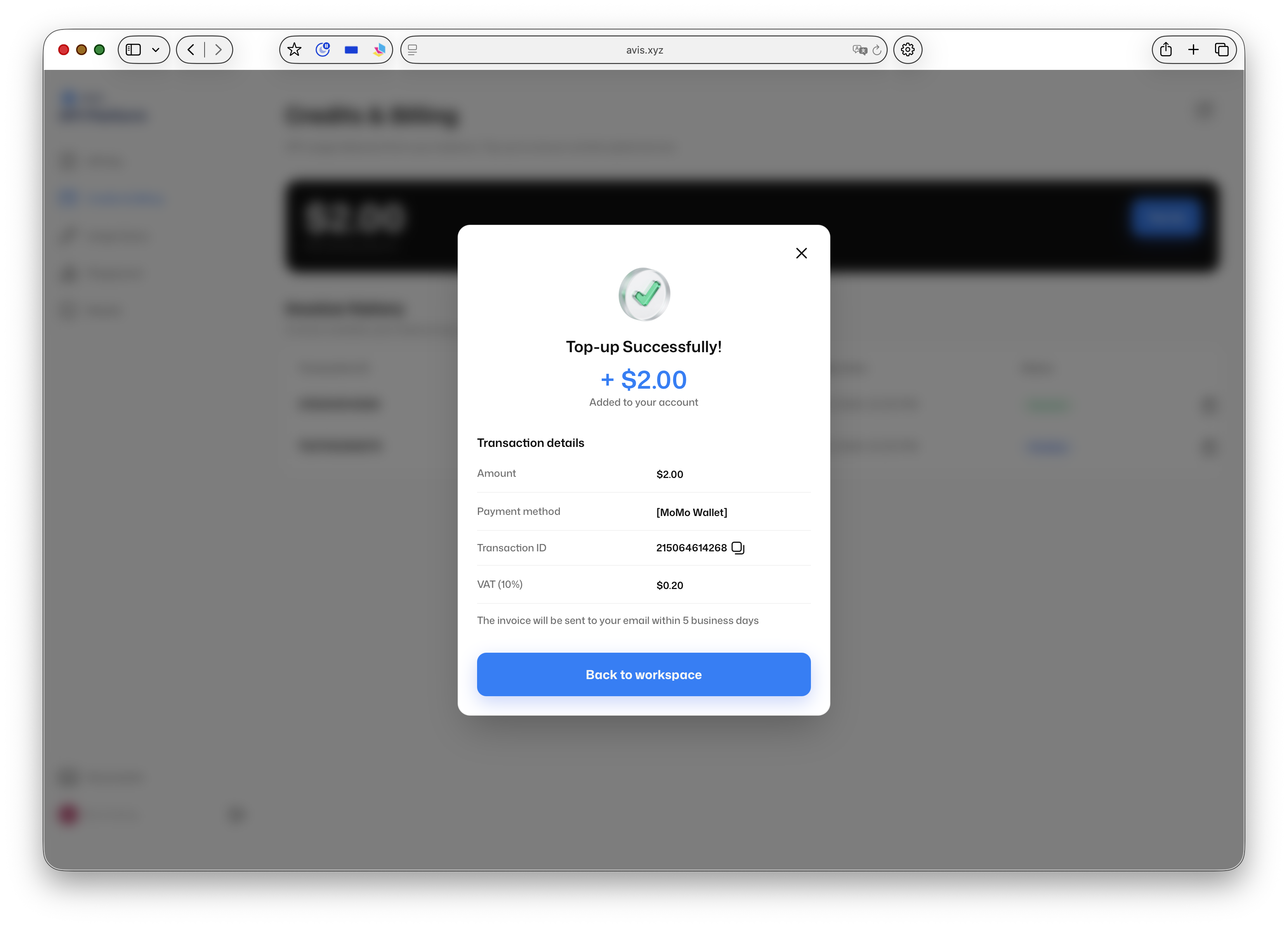
**Bước 4:** Tiến hành thanh toán qua nhà cung cấp đã chọn để hoàn tất nạp tiền.
Sau khi thanh toán được xác nhận, số dư mới sẽ hiển thị trên trang **Credits & Billing**.
***
## Tiếp theo
* Sẵn sàng xây dựng? Tạo [Cách lấy API Key](/vi/huong-dan/get-started/avis-api-key.md) để bắt đầu sử dụng credit.
* Mời bạn bè và nhận thưởng — xem [Broken mention](broken://pages/nKtURx1yEwEnTa2IiMVq).
***
## Câu hỏi thường gặp
### Avis chấp nhận những phương thức thanh toán nào?
Bạn có thể nạp tiền bằng **MoMo** hoặc **VNPAY**.
### Giá đã bao gồm VAT chưa?
Rồi. Thuế VAT 10% được tính trực tiếp vào tổng số tiền thanh toán, vì vậy số tiền bạn trả đã bao gồm thuế.
### Làm thế nào để nhận hóa đơn?
Khi nạp tiền, hãy nhập thông tin xuất hóa đơn và chọn **Company** hoặc **Individual**. Nếu không cần hóa đơn, hãy bỏ chọn tùy chọn này và bạn sẽ được chuyển thẳng đến bước thanh toán. Các hóa đơn trước đây có trong lịch sử hóa đơn trên trang **Credits & Billing**.
### Tôi có thể kiểm tra số dư hiện tại ở đâu?
Tổng số dư hiển thị ở đầu trang [Credits & Billing](https://www.avis.net/profile/credits), cùng với lịch sử hóa đơn của bạn.
---
# Agent Instructions
This documentation is published with GitBook. GitBook is the documentation platform designed so that both humans and AI agents can read, navigate, and reason over technical content effectively. Learn more at gitbook.com.
## Querying This Documentation
If you need additional information that is not directly available in this page, you can query the documentation by asking a question.
Perform an HTTP GET request on the following URL with the `ask` and `goal` query parameters:
```
GET https://docs.avis.net/vi/huong-dan/get-started/avis-topup.md?ask=&goal=
```
`ask` is the immediate question: it should be specific, self-contained, and written in natural language.
`goal` is what the user is ultimately trying to achieve, the reason they need the answer. Sharing it helps GitBook give you a better, more relevant answer. A goal is most helpful when it describes the outcome the user wants rather than restating the question. For example, with `ask=how do I create an API token`, a goal like `automate deployments from our CI pipeline` lets GitBook tailor the answer to that use case.
The response will contain a direct answer to the question and relevant excerpts and sources from the documentation.
Use this mechanism when the answer is not explicitly present in the current page, you need clarification or additional context, or you want to retrieve related documentation sections.